Conversational Robotics (VLA)
Introduction
The final frontier of Physical AI is the integration of Large Language Models (LLMs) with robotic control. We call this Vision-Language-Action (VLA). It allows us to talk to robots in plain English, and for them to understand the world visually and act upon it.
This lesson doubles as the guide for the Course Capstone Project: Building an Intelligent Fetch Robot.
VLA Architecture
A VLA system translates natural language into robot actions (e.g., ROS 2 service calls).
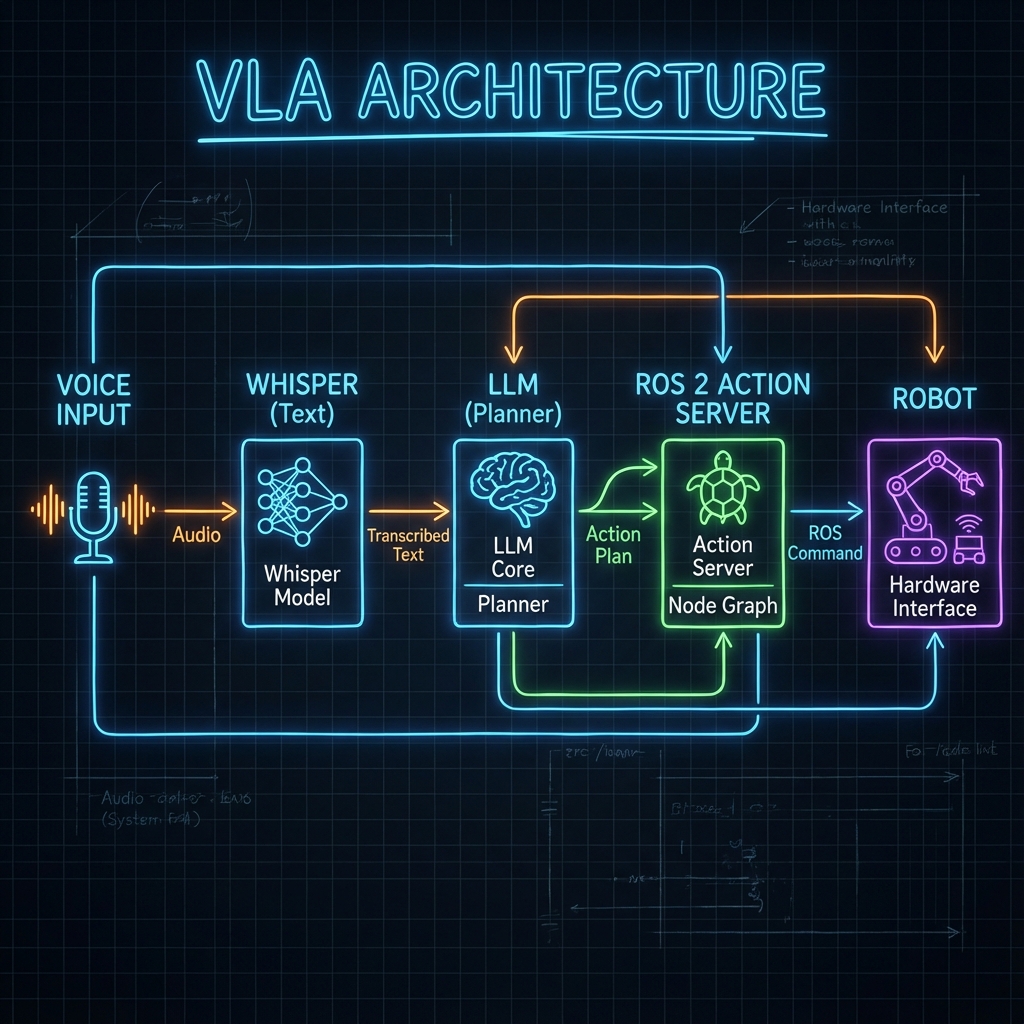
Core Components
- Ears (Whisper): OpenAI's Whisper model converts speech to text with near-human accuracy.
- Eyes (CLIP / GPT-4 Vision): Understands the visual scene. "Is that a red apple or a ball?"
- Brain (LLM): GPT-4 or local Llama models parse the user's intent and generate a plan.
- Body (ROS 2): Executes the planned actions (Navigate, Grasp).
Implementation Details
1. Speech Recognition (Whisper)
Traditional speech recognition fails in noisy environments. Whisper works robustly.
import whisper
model = whisper.load_model("base")
result = model.transcribe("audio.wav")
print(result["text"])
2. Vision (CLIP)
CLIP connects text and images. You can ask it to find "a red cup" in an image, and it returns the probability. It enables Zero-Shot Detection.
Capstone Project: Intelligent Fetch Robot
Goal: Build a robot that obeys the command: "Hey robot, bring me the blue bottle from the kitchen."
System Architecture
graph LR
    User -->|Voice| Whisper
    Whisper -->|Text| LLM
    LLM -->|Plan| DialogueManager
    DialogueManager -->|Nav Goal| Nav2
    DialogueManager -->|Grasp| MoveIt
    Nav2 --> Robot
    MoveIt --> Robot
Dialogue Manager Node
This ROS 2 node is the conductor of the orchestra. It takes text, asks the LLM for a plan (JSON), and triggers ROS 2 actions.
import rclpy
from rclpy.node import Node
import openai
import json
from std_msgs.msg import String

class DialogueManager(Node):
    def __init__(self):
        super().__init__('dialogue_manager')
        self.speech_sub = self.create_subscription(String, '/speech/text', self.handle_speech, 10)

        # System prompt defines the robot's API
        self.system_prompt = """
        You are a robot assistant. Convert commands into JSON.
        Available actions:
        - navigate(location_name)
        - pick_up(object_name)
        Example: {"actions": [{"cmd": "navigate", "arg": "kitchen"}]}
        """

    def handle_speech(self, msg):
        self.get_logger().info(f"User said: {msg.data}")

        # Call LLM
        response = openai.ChatCompletion.create(
            model="gpt-4",
            messages=[
                {"role": "system", "content": self.system_prompt},
                {"role": "user", "content": msg.data}
            ]
        )

        plan_json = response.choices[0].message.content
        self.execute_plan(json.loads(plan_json))

    def execute_plan(self, plan):
        for action in plan['actions']:
            cmd = action['cmd']
            arg = action['arg']
            self.get_logger().info(f"Executing: {cmd} -> {arg}")
            # Trigger ROS 2 Action Clients here...

def main():
    rclpy.init()
    node = DialogueManager()
    rclpy.spin(node)
    rclpy.shutdown()
The Future of Work
We are moving from "programming" robots (defining every step) to "teaching" them. VLA models enable robots to learn from demonstration and natural language instruction. This is the skill set you have now mastered.
Summary
Congratulations! You have reached the end of the course. You now understand:
- The Nervous System: ROS 2.
- The Body: Digital Twins & URDF.
- The Brain: Isaac AI & Perception.
- The Soul: VLA & Human-Robot Interaction.
Go build the future.